Providing design and manufacturing software solutions for the Northwest.

Mill

Mastercam Mill

Launch Mastercam Mill Mini-site.

mill

Trust the Leader

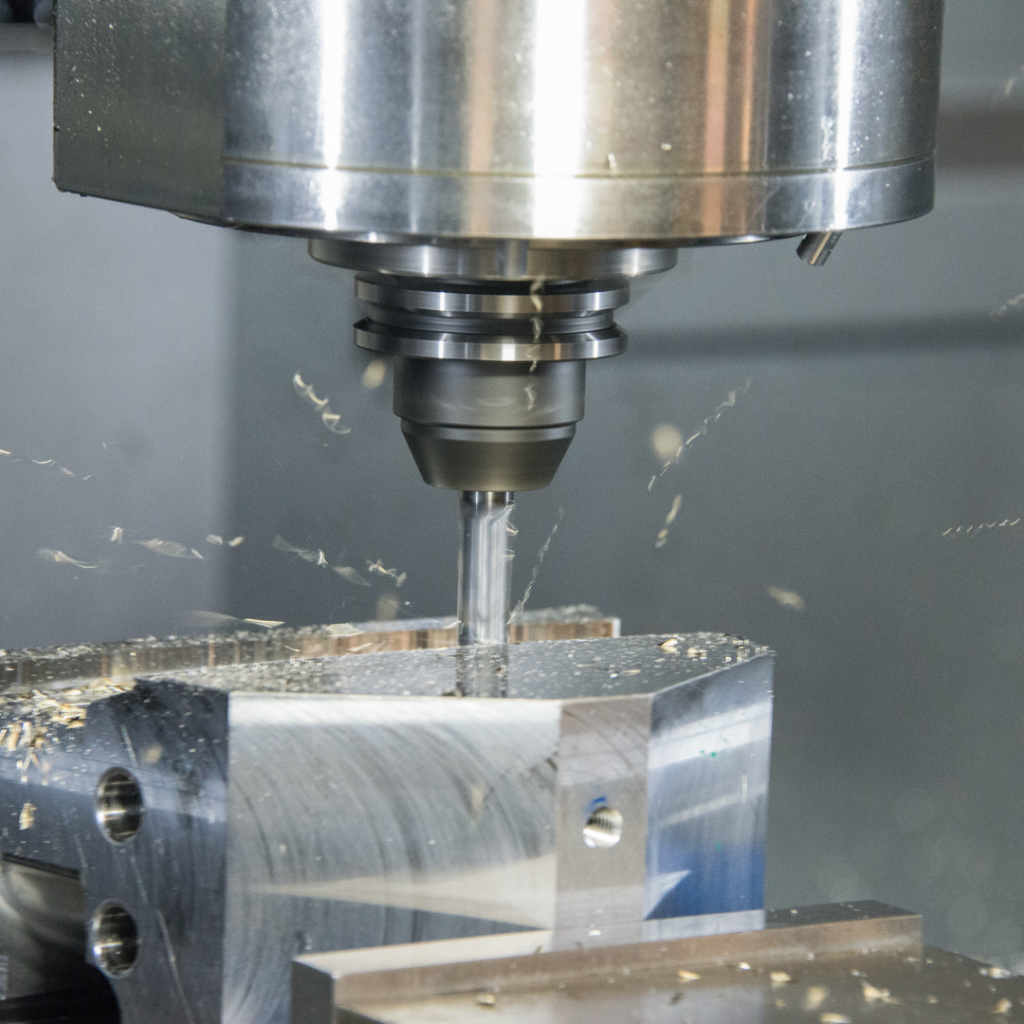
Mastercam is the most widely used CAM software worldwide* and remains the program of choice among CNC programmers. Mastercam Mill delivers the most comprehensive milling package with powerful new toolpaths and techniques.

The Core of Your Machining Needs

Mastercam gives your shop the best possible foundation for fast and efficient milling. From general purpose methods such as optimized pocketing to highly specialized toolpaths like 5-axis turbine cutting, Mastercam ensures that you're ready for any job.

And Mastercam Mill can grow with your business. Start with what you need, and upgrade to new machining techniques as your needs grow.

* Source: CIMdata, Inc.

Mastercam® Mill Levels and Multiaxis

Mastercam Mill delivers fast, easy NC programming that lets you make the most of your machines. With several Options — Level 1, Level 2, Level3, and Multiaxis — you are assured to get exactly what you need.

Mill Level 1

Mastercam Mill Level 1

Associative CAD/CAM for 2½ — axis machining and design. Mill Level 1 includes the full Mastercam CAD engine plus:

  • 2D Feature Based Machining on solids.
  • Flexible contouring, pocketing, and drilling.
  • CAD file change recognition.
  • Automated pocket remachining.
  • Tombstone programming/multiaxis positioning.
  • Automated feed rate optimization.
  • Solids-based toolpath verification.

Mill Level 2

Mastercam Mill Level 2

Associative CAD/CAM for design and basic 3-axis machining. Builds on Mastercam Mill Level 1 functionality, plus:

  • Single surface and limited multisurface roughing.
  • Single surface and multisurface finishing.
  • Toolpath projection onto a complex surface.

Mill Level 3

Mastercam Mill Level 3

Associative CAD/CAM for full 3-axis machining and design. Builds on Mastercam Mill Level 1 and Level 2 functionality, plus:

  • Complete, associative multisurface roughing and finishing.
  • Powerful high speed machining motion.
  • Automated remaining stock removal.
  • Time-saving “cleanup” machining.
  • Machine surfaces, solids, STL files, and wireframe.

Mill Multiaxis

Mastercam Mill Multiaxis

Associative CAD/CAM for 4-axis and 5-axis machining that adds on to Mastercam Mill Level 3.

  • 4-axis and 5-axis multisurface roughing and finishing.
  • 5-axis contour cutting and trimming.
  • Full control over all aspects of tool approach, motion, and retract.
  • Full multiaxis solids-based verification.

Trust Mastercam — the #1 choice of NC programmers.
Mastercam Solids combined with . . .
Design
Mill Level 1
Mill Level 2
Mill Level 3
Create import and export solids, surfaces and wireframe
Single interface for design and NC programming
Fully associative 2D machining directly from solid
Fully associative machining of single solid faces and single surfaces
Fully associative machining of unlimited complex solids and surfaces together as a single model

solids

What Mastercam Solids Delivers

Practical Power

Solid modeling is transforming the way parts are designed. Now you can bring that power right into your shop.

  • Faster modeling of parts, molds, and fixtures using integrated solids, surfaces and wireframe.
  • Greater flexibility in accepting outside models.
  • Solids machining with access to Mastercam X’s powerful CAM functions.
  • The addition of Solids turns Mastercam X into a true hybrid modeler.
  • Based on the industry-leading Parasolid® kernel, Mastercam X Solids delivers powerful solid modeling with an eye for production.

Solid Modeling for Manufacturing

  • Mastercam Solids gives you powerful, streamlined solid modeling for practical design.
  • Fast solids construction using familiar modeling techniques.
  • Powerful revolve, extrude, loft and sweep commands.
  • Easy shelling and thin-wall creation.
  • Boolean addition, subtraction and common volume calculation between solids and surfaces.
  • Fast, efficient chamfering and filleting, including useful face-to-face fillets.
  • Draft solid faces.
  • Create sheet solids that can be thickened, shelled, and more.
  • Trim solids to a single surface or to multiple surfaces using sheet solids for maximum design potential.
  • Freedom to model without part constraints.
  • Hybrid modeling interaction between solids, surfaces and wireframe.
  • Quick and easy tool boundary silhouette creation from solids or surfaces.

Flexible Hybrid Modeling

Flexibility is crucial to efficient part design and programming. Mastercam Solids lets you mix and match modeling techniques. Need to add surface or wireframe elements to a solid? Want to quickly add solid components to a complex surface model? Now it’s easy. Mastercam Solids gives you the speed of solids, the power of surfaces, and the simplicity of wireframe. You choose the right tool for the right job.


Precision Tools for Flexible Design

  • Sew multiple surfaces into a single solid.
  • Mastercam’s Solid Feature Recognition identifies features such as fillets and holes on imported solids and adds those features to the history tree.
  • Delete and add solid faces for easy solid modification.

Solid Machining Made Easy

Mastercam Solids is a fully integrated add-on to Mastercam CAD/CAM products. When combined with Mastercam Mill, Mastercam Solids gives you the ideal way to machine your solid models. Import, create, and program your solids in the same easy-to-use interface, with full access to all Mastercam’s powerful programming tools.


The Mastercam Mill / Mastercam Solids combination gives you full associativity between your model and toolpath. Make a quick change to your model, and get an updated toolpath with a single mouse click.

Solids gives you freedom unavailable with other types of modeling, such as removing your model from a solid block to create a mold.

Open Access to Solid Models

  • Import Parasolid® , SAT and Inventor™ files as solids, surfaces and/or wireframe.
  • With optional STEP and Pro/E® you can import solids as solids, surfaces or wireframe.
  • Export Parasolid® and SAT files.
  • Open SolidWorks® and Solid Edge® files directly, and even import history trees using the free Mastercam Direct links.

Part Management and Detailing

  • Solids Manager for efficient operation tracking, reordering and editing.
  • Data including volume, surface area, and center of gravity.
  • Automatic multiple view solids layout with hidden lines.
  • Point-and-click dimensioning as easy as wireframe
Mastercam X Mill
Level 1
Level 2
Level 3
CAD
Complete customizability
Create and dimension live wireframe geometry
Read / write IGES, DXF, SAT, Parasolid, EPS & more
Read native Autocad, SolidWorks, Solid Edge & more
Read native Catia and Pro/E files
optional
optional
optional
Live surface modeling
CAD file change recognition
Solid modeling
optional
optional
optional
CAM
Fully associative toolpaths
Automated feed rate optimization
Feature Based Machining
Contouring, pocketing, and drilling
Automatic solid drilling when combined with Solids
3D contour cutting, trimming & remachining
On-screen toolpath verification
Safety zones for all toolpaths
Machine and control definition
Engraving
Single and limited multisurface roughing
Single and limited multisurface finishing
Full multisurface and solid roughing
Full multisurface and solid finishing
Full multisurface and solid “cleanup” machining
Full multisurface and solid high speed machining
5-axis drilling and curve machining
optional
optional
optional
Full 4-and 5-axis machining
optional

Join Our Mailing List
Email:

For Email Marketing you can trust